The fastest way to capture,
stack, and shape your raw ideas
One voice. Every part.
Sing your lead, then stack low, mid and high harmonies, octaves and ad-libs on top of it. Every part gets its own video tile, locked to your BPM, and exports as one video with stems.
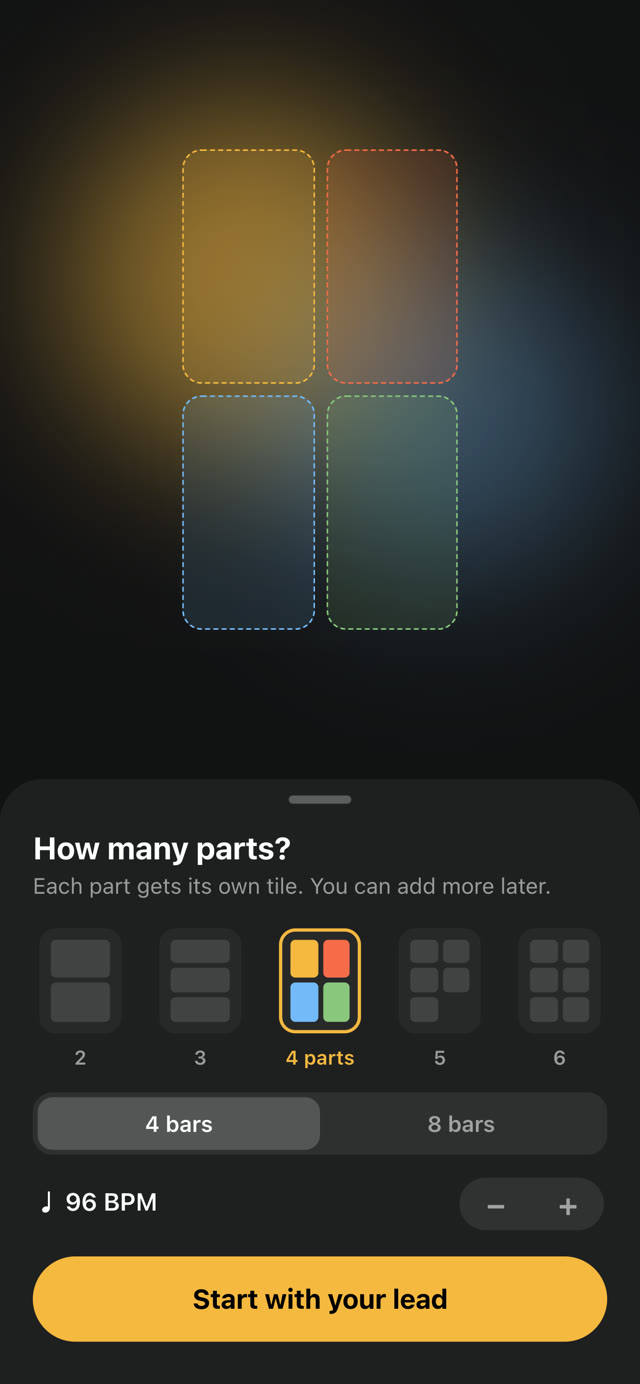
Choose your parts
Pick how many parts, 4 or 8 bars, and your BPM. Each part gets its own tile, and you can add more later.
Count in and sing
Every take starts with a count-in, so each part lands right on time with your lead.
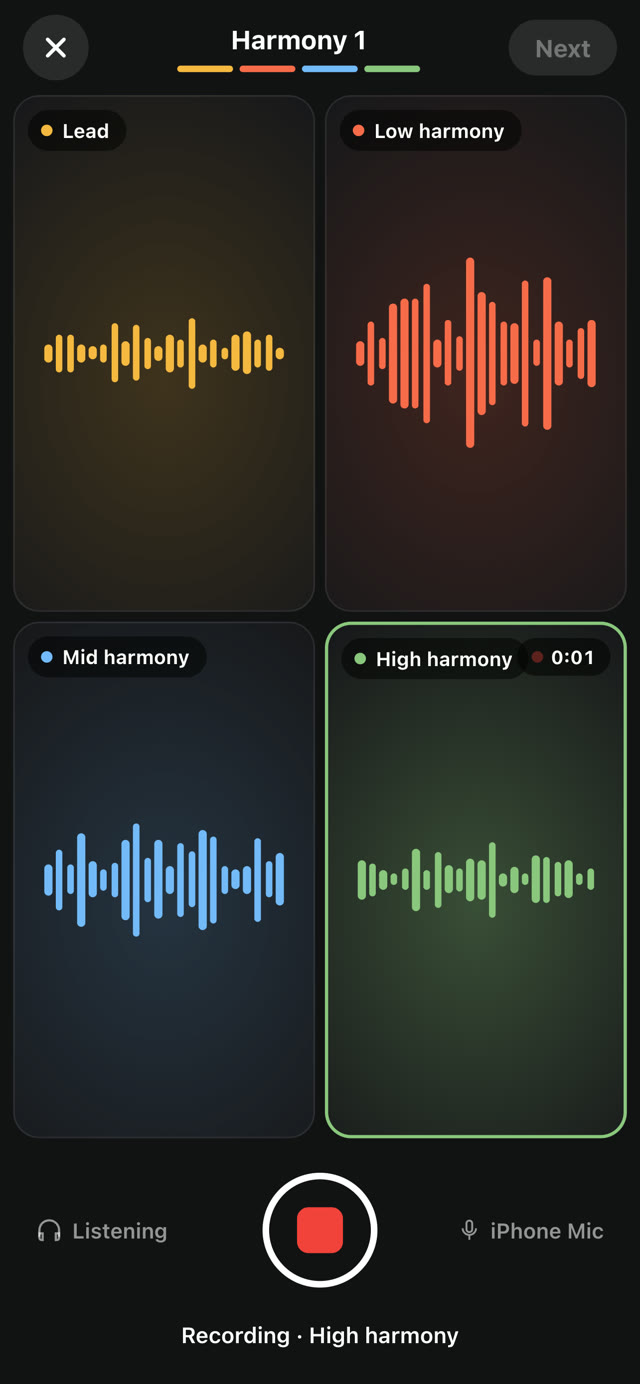
Stack every part
Record each harmony into its own tile, then line up and mix every take.
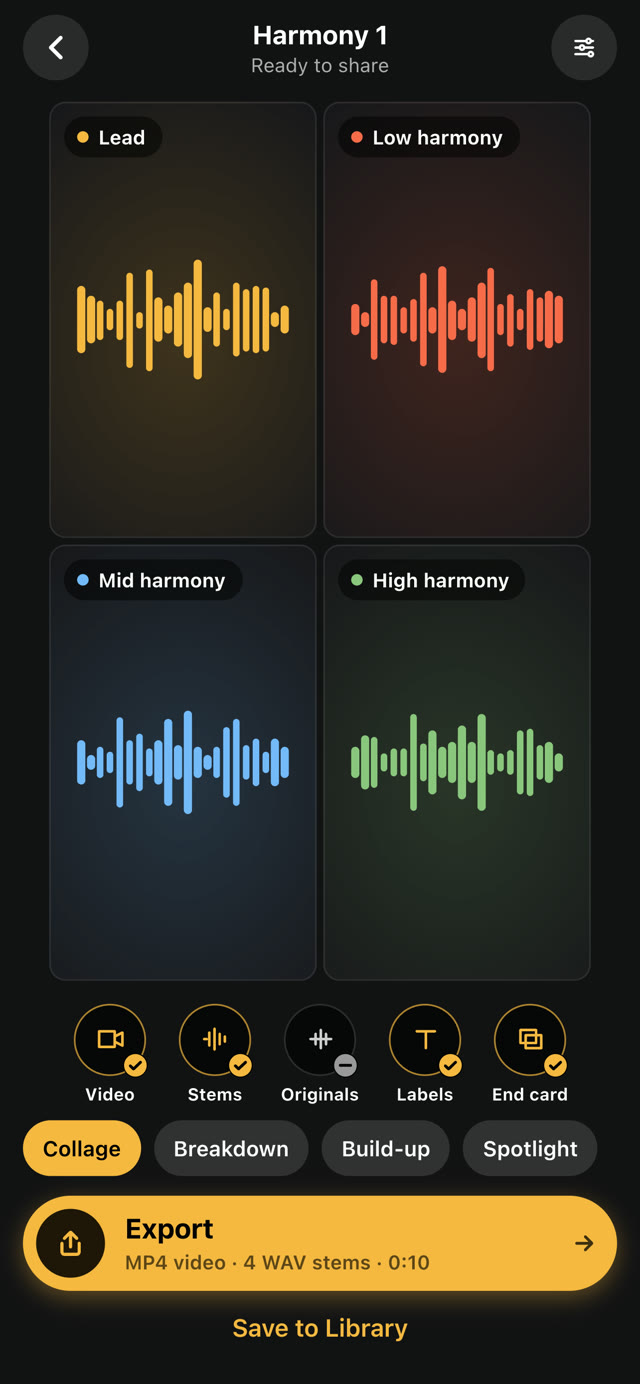
Export video and stems
Export one MP4 with every part in its tile, plus WAV stems for your producer.
The Speed Engine
Slow down or speed up your audio's speed from 25% to 400% so you can nail that fast vocal take or find a new bounce.
Vari Speed Control
Find the perfect pocket for your vocals before you ever open your DAW. Pitch your imported audio up or down by exact semitones (-24 to +24) instantly
Set your BPM, stay in the pocket
Create projects with a built-in metronome and BPM settings so every idea locks to the grid.
Record with a countdown
Hit record and get a countdown so you're ready to capture your idea right on time.
Arrange every take on the bar grid
Switch to Arrangement and every take lines up on your loop’s bars. Cut, trim, move, fade, and balance each one without leaving your phone.
Split at the playhead
Park the playhead and tap the scissors. The second half lands on its own lane, ready to move.
Trim and move clips
Drag a clip’s edges to keep only the part you want, then slide it to where it belongs.
Shape fades and level
Pull fades in and out, bend their curves, and set each clip’s volume in dB.
Mute and solo layers
Tap M or S on any lane to hear exactly what the arrangement needs.
Write to the loop you just made
The Lyrics tab keeps your loop a tap away while you write and offers rhymes for the word you just landed on. It suggests; the song stays yours.
Write while it plays
Play the loop above your draft and always know which bar you’re in.
Write against one take
Hear the whole loop, or solo a single take while you find the words.
Rhymes as you write
Perfect and near rhymes for the last word of your line. Tap one to drop it in.
Saved as you write
Every word saves with the recording. Big type and bullets when you want them.